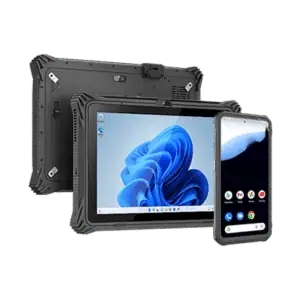
SENOR Australia supplies commercial POS hardware for retail, hospitality and service environments. The range includes Windows and Android POS terminals, kitchen display systems, touch monitors, rugged POS tablets and durable touchscreen terminals. Compare operating systems, form factors and deployment needs to select hardware that supports efficient checkout, ordering and day-to-day venue operations.
A retail POS setup commonly includes a POS terminal or customer-facing display, a receipt printer, a cash drawer and a barcode scanner. The right combination depends on the retailer’s workflow, transaction volume and POS software.
Assess POS hardware requirements by mapping the complete workflow: transaction volume, staff roles, POS software, required peripherals, connection methods, operating environment, support needs and future expansion. This helps a business choose a POS terminal, printer, scanner and cash drawer configuration that fits how the site actually operates.
Choose a POS terminal by comparing the operating system, screen size and touch requirements, processor and memory needs, ports, integrated peripherals, POS software compatibility, mounting format, operating environment and support options. The correct terminal is the one that fits the workflow and can be maintained over its expected service life.
When selecting POS hardware, compare the required functions, software and peripheral compatibility, connectivity and I/O, hardware quality, operating environment, workload, local support, repair options and future replacement needs. These criteria help match the hardware to the business rather than selecting on appearance alone.
Reliable POS hardware should be matched to the workload and environment. Compare build quality, operating conditions, connection stability, maintenance requirements, local support, repair options, replacement planning and compatibility with the business’s software and peripherals.