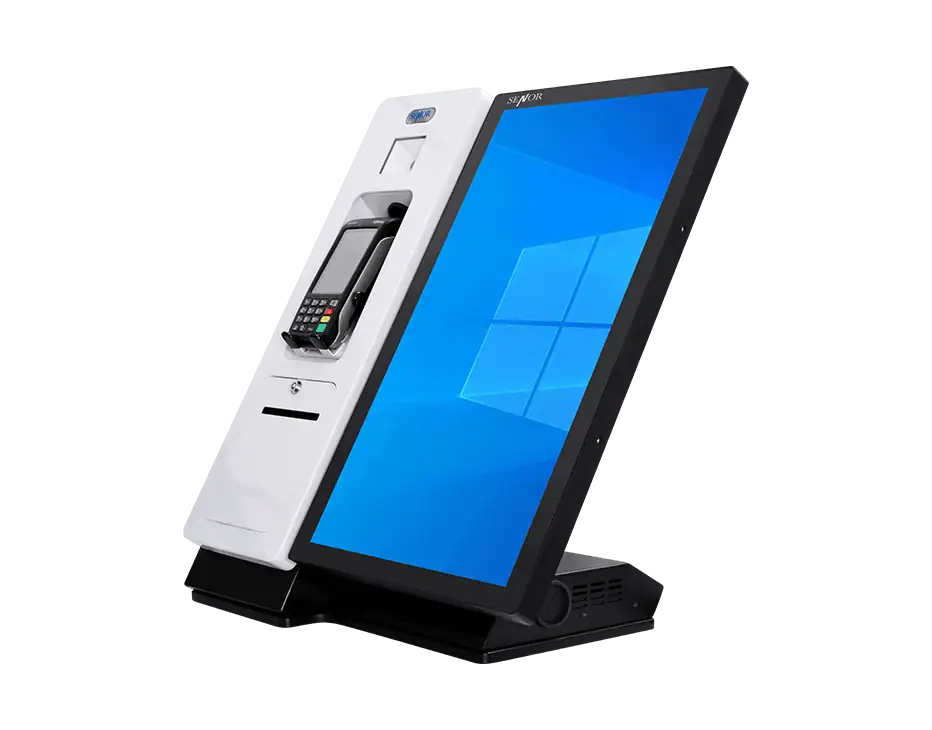
SENOR Australia offers desktop kiosks for self-service ordering, information access and customer interaction where floor space is limited. The category includes countertop touchscreen kiosks and compact display systems for hospitality, retail and service environments. Compare screen formats and installation needs to choose a desktop kiosk that fits your counter and workflow.
A desktop kiosk can support self-service, customer ordering, information access and other counter-based applications. It may be useful where a business does not want to mount a kiosk on a wall or where power and network access are more practical at the counter.
Choose a desktop kiosk by comparing screen size, touch configuration, counter space, peripheral layout and how securely the peripherals are housed. SENOR’s Miki and Senki designs differ in peripheral access: Miki keeps peripherals exposed, while Senki can lock them inside the cabinet.
The right desktop kiosk for self-service ordering depends on the required screen size, counter height, peripheral configuration and budget. Confirm the ordering software, payment equipment, printer or scanner requirements before selecting a model.
SENOR desktop kiosks may be used with POS software and peripherals, subject to the operating system, POS software, ports, drivers and connected equipment. Before ordering, confirm the requirements for the scanner, printer, payment equipment, cash drawer and any other peripheral.
Before ordering a desktop kiosk, confirm the product dimensions, weight, cable routing, power and internet access, mounting requirements and available counter depth. Desktop kiosks are generally easier to install than freestanding or wall-mounted units, but the base and cables must still be secured to prevent movement and hazards in the retail space.